

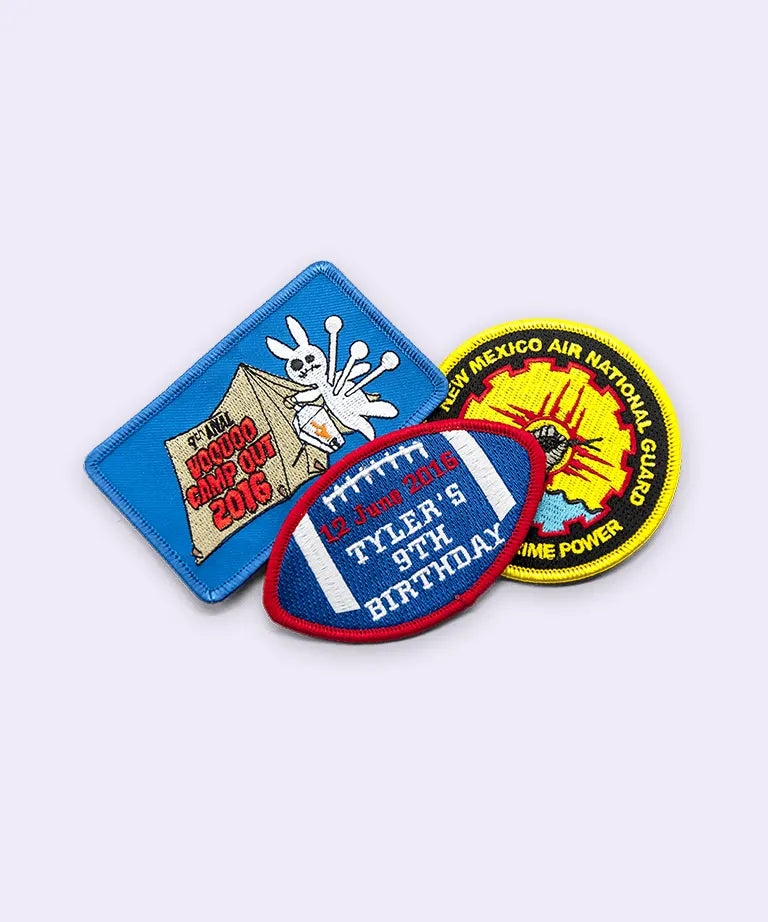
Rush Patch - Embroidered Badge Mockup Free Tool
Rush Patch

PVC Patch Free Mockup

Introduction

Why You Need A PVC Patch Mockup Free Tool

The bold colors, raised detail, and durability are hallmarks of PVC patches, but a flat design file rarely reflects how they're going to look once applied. A PVC patch mockup free tool can resolve just that, allowing you to see the patch's molding depth, color separation and finish up front before you start production.

The flexibility, waterproof options, and vivid color detailing that PVC patches offer is increasingly being employed by military, law enforcement, fashion and outdoor brands alike. The more of these patches that are ordered online, the more people will appreciate having a good mockup to see prior to molding to avoid any costly surprises.

Section 01 Badge Fundamentals

Understanding PVC Patch Mockup

a) PVC Patch Mockup

A PVC patch mockup is a digital preview of how the design will appear when it becomes a molded PVC patch without any material being formed or colored. Because PVC patches use 3D detailing instead of stitched thread, the mockup must accurately show the effect of the 3D molding, color separation and the edge finish, which are all quite distinct from 2D printed and stitched designs.

b) PVC Patch Mockup Free

This kind of preview can be created for free with a Rush PatchPVC patch mockup tool that doesn't require design software or experience. Just upload your artwork and the tool will create the patch on a PVC patch template, considering the raised texture, color and shine that PVC patches are famous for.

PVC rubber patches
Live Generator

Generate Your Patch Mock-up

Upload your logo or artwork to preview realistic 3D embroidery stitching instantly.

Section 02

Exploring the PVC Patch Mockup Generator

PVC Patch Mockup Generator

Option A

A PVC patch mockup generator is a software program that processes a flat design and creates a realistic preview of the final product. It provides a preview of molding depth, color separation and the finishing of the patch before it is manufactured. After placing an order, you can view a virtual version of your patch and can ask for modifications.

Option B

This is a little different for Rush Patch: You upload your artwork and choose your patch type, size and backing, and Rush Patch then sends you back a digital mockup to review and approve before your order goes into production. It still provides you with the same feature, viewing your design as a finished patch on PVC in advance, but without the automated.

Option C

If you're looking for alternatives, there are other patch companies that provide instant (AI-based) mockup generators that preview a patch once you upload the artwork. Rush Patch's method sacrifices a little of that instant self-service for a review of the product, with human eyes and manual checking which could result in a more accurate final proof for detailed.

Section 03

Working with the PVC Patch Mockup Template

PVC patch mockup template

A PVC patch mockup template provides a standard layout, showing patch shape, sizing, and border proportions, so a design can be previewed without building a mockup from scratch each time. It gives a consistent frame of reference for how artwork will sit within common PVC patch shapes, whether rounded, rectangular, or custom die-cut outline.

Custom embroidered badge patches
Section 04

How to Use Rush Patch Patch Logo Free Mockup

From creating a logo to the patch you see in the preview, no hassle.

1

Prep Your Art

You can either use a clean vector (SVG/EPS) or a high-resolution PNG/JPG.

2

Upload It

Use the free generator to drop in the file or paste it into the layer of the smart object in PSD.

3

Pick Your Specs

Select your patch shape, size, edge and patch backing.

4

Preview & Review

Just look to check the stitch direction, thread density and color contrast.

5

Refine or Approve

Make any adjustment to the things that are not on if they are not on or lock them and go into production.

Section 05

Benefits Of PVC Patch Mockup

PVC patch mockup benefits

  • Has the ability to identify problems early in the design process: Color separation, molding depth, and proportion are much easier to check on a mockup than after the molding has finished.
  • Eliminates uncertainty with visual detail: PVC patches can be used for bold colors and dimensional effects, and a proper “preview” will help you ensure that the colors will work.
  • Helps confirm design for durability: Rush Patch's PVC patches are designed to withstand harsh weather and heavy usage, and a mockup confirms the design works both visually and physically.
  • Available at no additional cost: The mockup is part of the ordering process, allowing the designer to test a design without risking a significant monetary investment.
  • Avoid expensive revisions: Ensures that details are right from the start, avoiding reprints or design changes at the start of production
Then you'll never find yourself short of a quote rushpatch.com.
Section 06

Rush patch:How To Use PVC Patch Mockup

How to use PVC patch mockup

  1. Select your patch style: From the list of patch styles on Rush Patch, select PVC.
  2. Upload your Artwork: upload your design file,vector files are preferred, but raster can be accepted.
  3. Choose the shape, size and backing: Include things such as what border thread you prefer, what color you want your shirt to be, and the backing you are looking for (heat press, iron-on, peel-and-stick, or Velcro).
  4. Review your digital mockup: Rush Patch returns a digital copy of your patch for review and patch changes if necessary.
  5. Approved and moved to production: You get your PVC patches approved and sent to production, tracking is provided.
Rush Patch can transform you from a Patch Logo Free Mockup to a finished product without the need to switch providers, re-upload files or lose your specs.
Conclusion

Quality Assurance Before Production

Rush Patch PVC Patch Mockup Tool eliminates the guesswork in creating a patch from a bold 3D design. If you're checking a PVC patch mockup free preview, or you have a PVC patch mockup template to work from, or you're looking PVC patch mockup price details, you're still making sure that you know exactly how your design will look, molded and colored, before it goes into production. It's a move that will help reduce expensive errors and make the design look great visually and structurally for designers and companies. Running your design through a PVC patch mockup freebefore ordering it and then confirming it with Rush Patch before ordering means you'll have what you are approving on screen and you'll get what you order in hand.

Start Your Badge Order →
FAQ

Frequently Asked Questions

Clear answers to common questions about badge mockups and digitizing files.

01 What is a patch logo mockup used for?
+
To help you avoid a production order, it will allow you to view the finished stitching of your logo in the colors, texture and border you'll use for your patch.
02 Is the free patch logo mockup accurate?
+
Yes, in terms of layout, proportion and overall colors. If you have to match your thread brand or are needing to final check your thread for production, check with your Rush Patch proof before making.
03 Patch logo mockup PSD vs. free download, what's the difference?
+
The web mock up is free, and provides you with an instant preview without requiring any software. The PSD will provide you with a fully editable file with layers that will be created with smart layers for further customization in Photoshop.
04 How fast can I get my mockup?
+
Instant. Both the free generator and PSD templates come with a rendered in seconds timeno waiting for a designer or for a quote.
05 : Can I edit the PSD myself?
+
Yes. Just double click the Smart Object Layer in Photoshop, paste in your logo and save the file. Update of textures, shadows and stitch detail are automatic.

Rush Patch — Embroidered Badge Mockup Free Tool