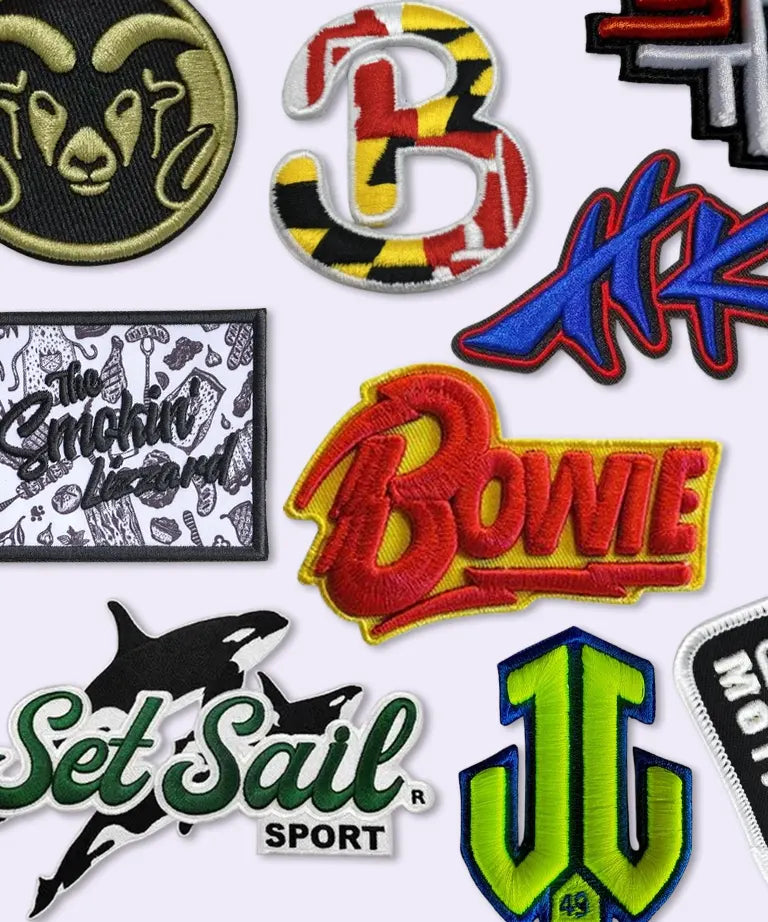
Rush Patch - Embroidered Patch Mockup Free Tool
Rush Patch

Rush Patch — Embroidered Patch Mockup Free Tool

Introduction

Free Embroidered Patch Mockup

Most patch makers, before putting their first stitch in a design, want to know how it will look, the texture of raised thread, the type of border, how the colors will look against fabric. Keeping in view the users need, Rush Patch Launched its own unique Embroidered Patch Mockup Free Tool . And this embroidered patch mock up Tool/ Embroidered Patch Mockup Free made that possible for anyone to create a patch mock up .

This guide will explain what Rush Patch an embroidered patch mockup is, the free formats available, how the free generators work, why it's useful to try some of these before ordering production and how to make your own in a step-by-step format.

01

Rush Patch - Getting To Know The Embroidered Patch Mockup

Rush Patch 's Embroidered Patch Mockup tool is a digital patch pattern representation that provides a preview of the result of the patch, including its embroidery texture, color and shape, without any stitches being embroidered. The patch mock up tool allows designers and manufacturers to accurately visualize the final product, helping identify potential issues early and ensure it is feasible before it goes to production to ensure it is both quality and aesthetically pleasing. The whole idea behind their use is to catch a color mismatch or details on screen, as it's costly to catch it after a production run and getting to know how the patch will look like after production

02

Understanding The Patch Embroidery Mockup — Rush Patch

a) Patch Embroidery Mockup Tool

Rush Patch - A Mockup tool for patch embroidery is the way to achieve a raised stitching, shimmering thread, and level surface effect, without doing any stitching. This is important because embroidery is quite unique, unlike flat printing, where there is little restriction on fine embroidery, thick thread does not allow for fine detail, and gradients and small text that are perfect on a screen do not work with stitches.

A good mockup provides an honest preview of what will look like in terms of gradients, shadows, and minor details when the final embroidery is rendered in thread as opposed to ink.

b) Embroidered Patch Mockup Generator

Rush Patch Embroidery mockup generator goes a step further by generating the mockups automatically. A generator-based tool allows you to upload a design and get a preview without needing any design software; this method is an alternative to manually placing artwork in a template file. Most of these generators are designed to enable people to choose a patch type, size, fabric, and other effects or details to suit certain design requirements.

In case you wish to avoid the hassle of looking for a mockup tool altogether, Rush Patch comes with an embroidered patch mockup generator created particularly for this. https://rushpatch.com/products/embroidered-patches . This is a great way to check out your own design to see how it will look like an embroidered patch before committing to a large order.

03

What Rush Patch Embroidered Patch Mockup Generator Do

In essence, an embroidered patch mockup generator converts a 2D design or any design file into a realistic and textured image of how the patch will appear after embroidery. Your artwork is overlaid onto a patch template, then it's given thread texture, stitching lines, lighting and sometimes a realistic surface, a jacket, cap or backpack, so you can see your work in context as opposed to just a flat graphic.

04

Guide To Use Rush Patch Embroidery Patch Mockup

How To Use The This Mockup Generator

1

Upload your design

Major types of files that Rush Patch generators support include PNG, JPG,; a high contrast image with clear edges is ideal.

2

Select the details

Depending on the tool, you're likely to be able to pick from the shape of the patch, its size, the style of the border, the materials for the patch or the surface it's sewn onto, and even the direction it's positioned or the lighting and background it's photographed with.

3

Generate and review

The tool simulates your design's thread texture and stitching. Most generators will then provide you with access to a high-resolution image, which you can download to use for your store, portfolio or social media platforms, possibly as a watermarked image after you are set up and ready to use it.

05

The Benefits Of Using Rush Patch Mockup Generator/Tool

The greatest benefit of a Embroidered Patch Mockup Free generator is speed, whether you've got complex design software or not. In complex design software, it would be a couple hours before you get to a nice patch presentation, and with a mockup generator, it's a couple clicks before you're presented with a professional-looking patch design.

That also means that any of the noticeable mistakes can be fixed before a real patch is made that saves cost and time. All of the colors, a legible detail, or an off-proportioned fit are discovered before it's too late.

Conclusion

Rush Patch 's Embroidered Patch Mockup tool is a significant step which saves time, money and disappointment. Whether you are a designer creating a portfolio or a business looking to see how a whole selection of items will look like before you order them in bulk or check out the personal patch concept, a realistic render before production will mean that you know what to expect before you get the items to see what went wrong.

With the use of Embroidered Patch Mockup Free tools you can do that without having to use any kind of design software or spending a dime. If you are ordering your next patch set, it's good to go through their free patch design generator to make sure you get the patch design you are after before you commit to ordering your next set of patches.

Frequently Asked Questions

FAQ's

Q1: How To Make an Embroidery Mockup?

Answer: Use a clean, high-resolution copy of your design, preferably JPG/PNG. Drag it into a mockup tool (either a PSD template that is opened in Photoshop or one that is uploaded online) and drag it on top of the patch shape with the smart object or upload feature. Use settings such as: Border style, Fabric background, Lighting, etc. and then render and see the result before finalizing.

Q2: How Much to Charge for Embroidered Patches?

Answer: the cost is determined by the patch size (larger patches require more material and thread), the number of stitches or how much of the patch is covered, the number of colours of thread required, how complicated the design is, the type of backing (iron-on, velcro and adhesive tend to be more expensive as they involve more material than sew-on) and the order quantity. Embroidered patches cost between $1.20 and a few dollars per patch for large, high-volume orders to many dollars per patch for small, intricate ones.

Q3: How To Turn A Picture Into An Embroidered Patch?

Answer: It requires simplifying the image, digitizing it into stitch paths, choosing thread colors and stitching the image onto fabric using an embroidery machine. Photographs and extremely detailed images usually require reducing first as they don't translate easily to thread; most photo transfers will be made with 5 to 7 colors of thread and the direction, density and changes of color will be determined by the process of digitizing the image.

Q4: What Is the Difference Between Embroidery and Embroidery Patches?

Answer: Embroidery is a technique wherein thread is stitched directly onto a garment's fabric to create a permanent design that is integrated with the garment. Unlike that, a patch is a pre-made piece of embroidered fabric that is sewn, ironed or glued on to a garment after the garment is stitched together, thus allowing it to be removed, reused or stitched on to multiple garments. Embroidery is applied to an item and is permanent, a patch is a product that is not part of an item but is embroidered with the same embroidery technique and can be taken off.

Rush Patch — Embroidered Patch Mockup Free Tool